How to Keep Track of All Your Buy Now Pay Later Payments
By Jason Wilcox
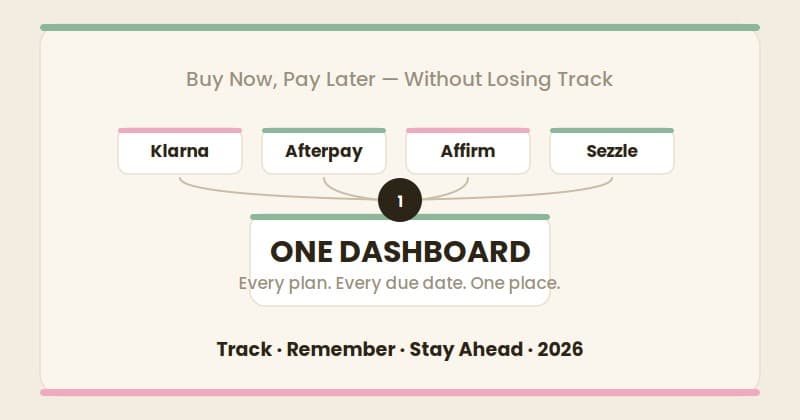
If you use buy now, pay later, you have probably had this moment: a payment comes out of your account and for a second you cannot remember which plan it was, or what is due next. That feeling is not carelessness. It is the predictable result of how BNPL is built.
This is a practical guide to keeping track of every BNPL payment you have — across every provider — so nothing slips through.
Why BNPL Is So Easy to Lose Track Of
Start with the honest reason this is hard, because it is not your fault.
Every BNPL provider only shows you its own plans. Klarna's app shows Klarna. Afterpay's app shows Afterpay. Affirm's app shows Affirm. There is no shared view. If you have one plan with each, you are checking three separate apps to answer one simple question: what do I owe, and when?
It gets harder from there. Each plan has its own schedule — Pay in 4 spreads across six weeks, longer financing runs monthly. Payments from different providers land on different days of the month. There is no single due date and no single balance. The information you need to stay on top of BNPL is real, but it is scattered across apps that were never designed to talk to each other.
So the problem is not discipline. It is fragmentation. And the fix is to un-fragment it.
Step 1: Get Every Plan Into One List
The first move is simply to write down every active BNPL plan you have in one place. For each plan, capture four things:
- The provider — Klarna, Afterpay, Affirm, Sezzle, Zip, PayPal Pay Later, or another.
- What it was for — a short label so you recognize it later.
- The installment amount — what comes out each time.
- The due dates — every remaining payment, not just the next one.
This sounds obvious, but most people have never done it. The act of listing every plan in one view is often the first time someone sees their actual total BNPL commitment. That number can be sobering — and seeing it clearly is the entire point.
Step 2: Track Due Dates, Not Just Balances
Knowing what you owe is half the job. Knowing *when* is the other half.
Here is the uncomfortable truth about missed BNPL payments: most of them are not affordability failures. They are memory failures. The money was there. The date was simply forgotten, because it lived in an app the person had not opened in two weeks.
So whatever system you use has to be built around dates. Every due date for every plan needs to be somewhere you will actually see it before the payment hits — not after.
Step 3: Choose a Tool That Reminds You
You have a few real options for the actual tracking, and they are not equal.
A spreadsheet. Better than nothing. List every plan, every amount, every due date. The weakness is fatal for most people, though: a spreadsheet is silent. It does not remind you of anything. You have to remember to open the thing that is supposed to help you remember. That circular problem is why spreadsheets quietly fail.
Your phone calendar. You can manually add each due date as an event with an alert. This works if you are diligent about entering every date and updating them. It also clutters your calendar and still does not show you a running total of what you owe.
A dedicated BNPL tracker. This is the option built for the actual problem. A tracker keeps every plan from every provider in one dashboard and — critically — sends you a reminder before each payment is due. It also shows your total balance across all providers in one number.
That last category is exactly why Frizzbee exists. Frizzbee tracks BNPL plans across Klarna, Afterpay, Affirm, Sezzle, Zip, and PayPal Pay Later in a single dashboard. It reminds you before each payment so a forgotten date stops being a risk. And it shows you the one number no provider app will — your total BNPL balance, everywhere, at once.
Step 4: Check It on a Schedule
A tracking system only works if you look at it. Pick a fixed moment — payday is a natural one — and make checking your BNPL view part of that routine. Thirty seconds, once a week, to see what is coming. With reminders running in the background, that weekly check becomes a confirmation rather than a scramble.
The Real Goal
The point of tracking BNPL is not anxiety. It is the opposite. When every plan is visible in one place, with due dates handled and a clear total, BNPL goes back to being what it is supposed to be — a convenient way to spread a cost — instead of a low-level worry you carry around.
You do not need to stop using buy now, pay later. You need to be able to see all of it at once. That single change is the difference between BNPL working for you and BNPL getting away from you.
If you are juggling more than one plan, Frizzbee puts every provider in one dashboard with reminders before every payment. It is free to start, and it is built for exactly this problem.